

Hey there! As a supplier of Intercom Boards, I've been getting a bunch of questions lately about how to improve the signal strength of a wireless Intercom Board. It's a common issue, and I'm here to share some tips and tricks that can help you boost that signal and get the most out of your intercom system.
Understanding the Basics
First things first, let's talk about what affects the signal strength of a wireless Intercom Board. There are a few key factors to consider:
Distance
The farther your intercom board is from the access point or router, the weaker the signal will be. This is because the radio waves that carry the signal have to travel a longer distance, and they can get weaker or interfere with other signals along the way.
Obstructions
Walls, floors, and other physical barriers can block or weaken the signal. Different materials have different effects on the signal. For example, metal and concrete are particularly good at blocking radio waves, while wood and drywall are less obstructive.
Interference
Other electronic devices that operate on the same frequency as your intercom board can cause interference. This includes things like microwave ovens, cordless phones, and even some Bluetooth devices.
Antenna Quality
The quality of the antenna on your intercom board can also have a big impact on the signal strength. A high - quality antenna can pick up and transmit signals more effectively than a low - quality one.
Tips to Improve Signal Strength
Positioning
- Optimal Placement: Try to place your intercom board in a central location, away from obstructions. If possible, put it at a higher elevation, as radio waves tend to travel better in open space. For example, mounting it on a wall rather than placing it on the floor can make a difference.
- Line of Sight: If your intercom system uses a specific access point, make sure there is a clear line of sight between the board and the access point. This will minimize signal loss due to obstructions.
Reduce Interference
- Change Channels: Most wireless intercom boards allow you to change the channel they operate on. If you're experiencing interference, try switching to a different channel to see if that improves the signal. You can use a Wi - Fi analyzer app on your smartphone to find the least congested channels in your area.
- Keep Devices Separate: Keep your intercom board away from other electronic devices that might cause interference. For example, don't place it right next to a microwave oven or a cordless phone base station.
Upgrade the Antenna
- External Antennas: Some intercom boards allow you to attach external antennas. These antennas are often more powerful and can significantly improve the signal strength. You can find a variety of external antennas on the market, so make sure to choose one that is compatible with your intercom board.
Boost the Router Signal
- Router Placement: Just like with the intercom board, the placement of your router is crucial. Place it in a central location, away from obstructions, and at a higher elevation. You can also try rotating the antennas on your router to find the optimal position for maximum coverage.
- Router Upgrade: If your router is old or not very powerful, consider upgrading to a newer model. Look for routers that support the latest Wi - Fi standards, such as Wi - Fi 6, which offer better range and speed.
Firmware Updates
- Intercom Board Firmware: Regularly check for firmware updates for your intercom board. Manufacturers often release updates that can improve the performance and signal strength of the device. Updating the firmware is usually a simple process that can be done through the device's settings or a connected app.
- Router Firmware: Similarly, keep your router's firmware up - to - date. Router manufacturers also release updates to fix bugs, improve security, and enhance performance.
Related Products for Better Signal
As an Intercom Board supplier, I also offer some related products that can help improve the overall performance of your intercom system. Check out our VoIP Board, which is designed to provide high - quality voice communication over an IP network. It can work in tandem with your intercom board to enhance the signal and communication quality.
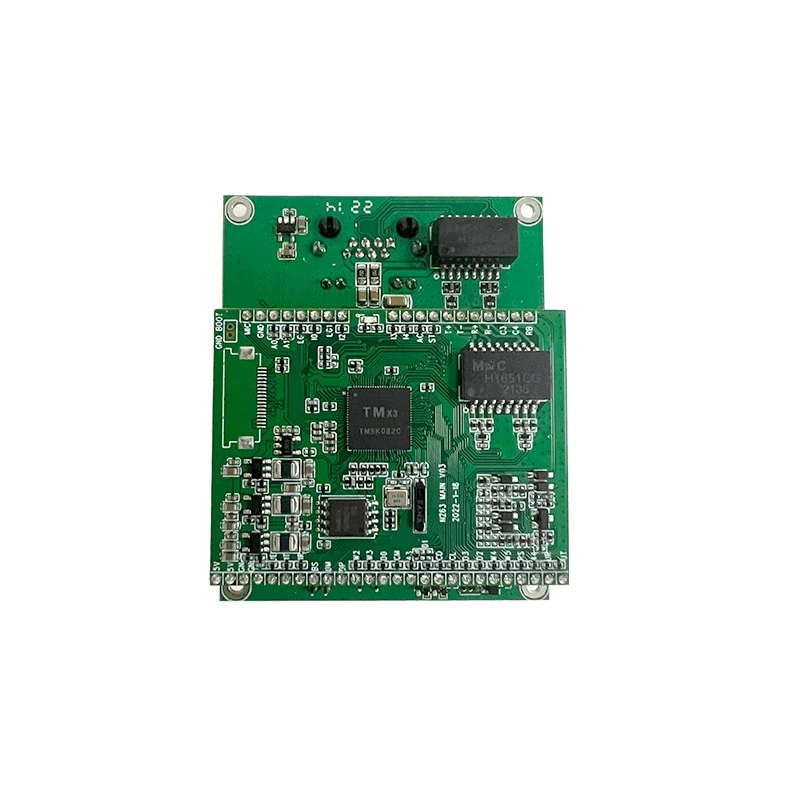
Our Intercom Circuit Board is another great option. It's a key component of the intercom system that can optimize the signal processing and transmission, leading to better signal strength and clearer communication.
And if you're looking for a product to enhance the network connectivity of your speakers, our Network Board for Speakers is a must - have. It ensures stable and strong network signals to your speakers, improving the overall audio quality of your intercom system.
Conclusion
Improving the signal strength of a wireless Intercom Board is all about understanding the factors that affect the signal and taking the right steps to address them. By following the tips I've shared, such as proper positioning, reducing interference, upgrading antennas, and keeping your devices' firmware up - to - date, you can significantly enhance the performance of your intercom system.
If you're interested in purchasing high - quality Intercom Boards or any of our related products, I'd love to have a chat with you. Whether you're setting up a new intercom system or looking to upgrade an existing one, we can provide you with the best solutions. Reach out to start a conversation about your specific needs, and let's work together to get you the perfect intercom setup.

References
- “Wireless Networking Basics” by Cisco Systems
- “Wi - Fi Performance and Optimization” by Aruba Networks