

Hey there! As a supplier of Column PA Speakers, I've seen firsthand how important it is to keep these bad boys in tip - top shape. In this blog, I'll share some practical tips on how to maintain a Column PA Speaker.
Understanding Your Column PA Speaker
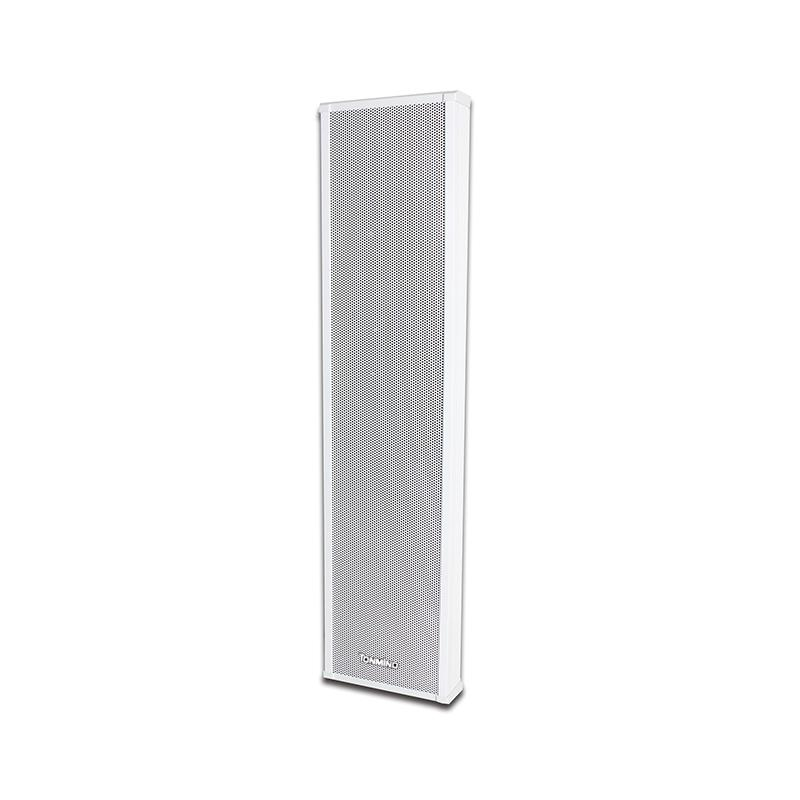
Before we dive into maintenance, let's get a basic understanding of what a Column PA Speaker is. A Column PA Speaker is a type of loudspeaker that's often used in public address systems. It's designed to provide wide - spread sound in large areas like schools, shopping malls, and outdoor venues.
These speakers come in different types, such as the ONVIF Column Speaker, which offers advanced network capabilities, and the Outdoor Column Speaker, built to withstand the elements. Knowing the specific type of your speaker will help you tailor the maintenance routine.
Regular Cleaning
One of the simplest yet most crucial maintenance tasks is regular cleaning. Dust and dirt can accumulate on the speaker grille and other parts over time, which can affect the sound quality.
To clean the grille, use a soft, dry cloth to gently wipe away any visible dust. For more stubborn dirt, you can lightly dampen the cloth with water. Avoid using harsh chemicals or abrasive materials as they can damage the grille finish.
The exterior of the speaker should also be cleaned regularly. Wipe it down with a clean, dry cloth to remove fingerprints, smudges, and any other debris. If there are stains, you can use a mild soap solution on a cloth, but make sure to wring it out well so it's only slightly damp. After cleaning, dry the speaker thoroughly to prevent any moisture from getting inside.
Inspection of Connections
Another important aspect of maintenance is checking the connections. Loose or damaged connections can cause intermittent sound or even complete failure of the speaker.
Start by inspecting the power cable. Look for any signs of fraying, cuts, or damage. If you notice any issues, replace the cable immediately. A damaged power cable can be a safety hazard as well as affect the performance of the speaker.
Next, check the audio connections. Whether it's a wired connection or a wireless setup, make sure all the connectors are firmly plugged in. For wired connections, inspect the cables for any signs of wear and tear. If you're using a wireless speaker, check the signal strength and make sure it's connected to the correct device.
Protection from the Elements (for Outdoor Speakers)
If you're using an Outdoor Column Speaker, protecting it from the elements is essential. Exposure to rain, snow, extreme temperatures, and sunlight can all take a toll on the speaker.
Invest in a good - quality weatherproof cover. This will shield the speaker from rain, snow, and direct sunlight. Make sure the cover fits the speaker properly and is securely fastened.
Also, consider the location of the speaker. Try to place it in a sheltered area, such as under an awning or in a covered patio. Avoid placing it in low - lying areas where water can accumulate.
Handling and Storage
Proper handling and storage of the Column PA Speaker are also important for its longevity. When moving the speaker, always lift it from the designated handles or support points. Avoid grabbing it by the grille or other delicate parts as this can cause damage.
If you need to store the speaker for an extended period, make sure it's in a clean, dry place. Remove the batteries (if it's a battery - powered speaker) and store them separately. Cover the speaker with a dust cover to prevent dust from settling on it.
Testing the Speaker
Regularly testing the speaker is a great way to catch any potential issues early. Play some music or a test tone through the speaker and listen for any distortion, crackling, or other abnormal sounds. If you notice any problems, try adjusting the settings first. If the issue persists, it may be a sign of a more serious problem.
You can also use a multimeter to test the speaker's impedance. This will help you determine if the speaker is functioning properly. Refer to the speaker's manual for the correct impedance values and how to perform the test.
Firmware Updates (for Smart Speakers)
If your Column PA Speaker is a smart speaker with network capabilities, like the ONVIF Column Speaker, keeping the firmware up - to - date is crucial. Firmware updates often include bug fixes, performance improvements, and new features.
Check the manufacturer's website regularly for any available firmware updates. Follow the instructions carefully to install the updates. Make sure the speaker is connected to a stable power source during the update process to avoid any interruptions.
Professional Servicing
Even with regular maintenance, there may come a time when your Column PA Speaker needs professional servicing. If you're experiencing persistent problems that you can't fix on your own, it's best to take it to a qualified technician.
A professional can diagnose the problem accurately and perform any necessary repairs or replacements. They also have the tools and expertise to handle more complex issues, such as internal component failures.

Conclusion
Maintaining a Column PA Speaker doesn't have to be a hassle. By following these simple tips, you can ensure that your speaker continues to deliver high - quality sound for years to come. Whether you're using it for a small event or a large - scale public address system, proper maintenance is key.
If you're in the market for a new Column PA Speaker or have any questions about maintenance, feel free to reach out. We're here to help you make the right choice and keep your speaker in great condition. Contact us for more information and to start a procurement discussion.
References
- General knowledge from years of experience as a Column PA Speaker supplier.
- Manufacturer's manuals for various Column PA Speakers.