

As a supplier of SIP door intercom systems, I understand the critical role that user access permission management plays in ensuring the security and functionality of these systems. In this blog post, I'll share some insights on how to manage user access permissions on a SIP door intercom effectively.
Understanding the Basics of SIP Door Intercom Access Permissions
Before delving into the management strategies, it's essential to understand what access permissions are in the context of a SIP door intercom. Access permissions define who can use the intercom system, how they can use it, and when they can use it. These permissions can range from simple entry and exit rights to more complex functions like video monitoring, remote unlocking, and paging.
The SIP (Session Initiation Protocol) technology used in modern door intercoms allows for flexible and scalable access control. It enables communication between different devices and users over an IP network, which means that access permissions can be managed centrally and adjusted as needed.
Types of Access Permissions
There are several types of access permissions that you can configure on a SIP door intercom system:
1. Entry and Exit Permissions
This is the most basic type of permission. It determines who can enter or exit a premises using the door intercom. You can set different levels of access, such as full access, restricted access during certain hours, or no access at all.
2. Video Monitoring Permissions
Some users may be granted the ability to view the video feed from the intercom's camera. This can be useful for security personnel or property managers who need to monitor the entrance to a building.
3. Remote Unlocking Permissions
Allowing certain users to unlock doors remotely can be a convenient feature, but it also requires careful management. You need to ensure that only authorized individuals have this privilege.
4. Paging Station Permissions
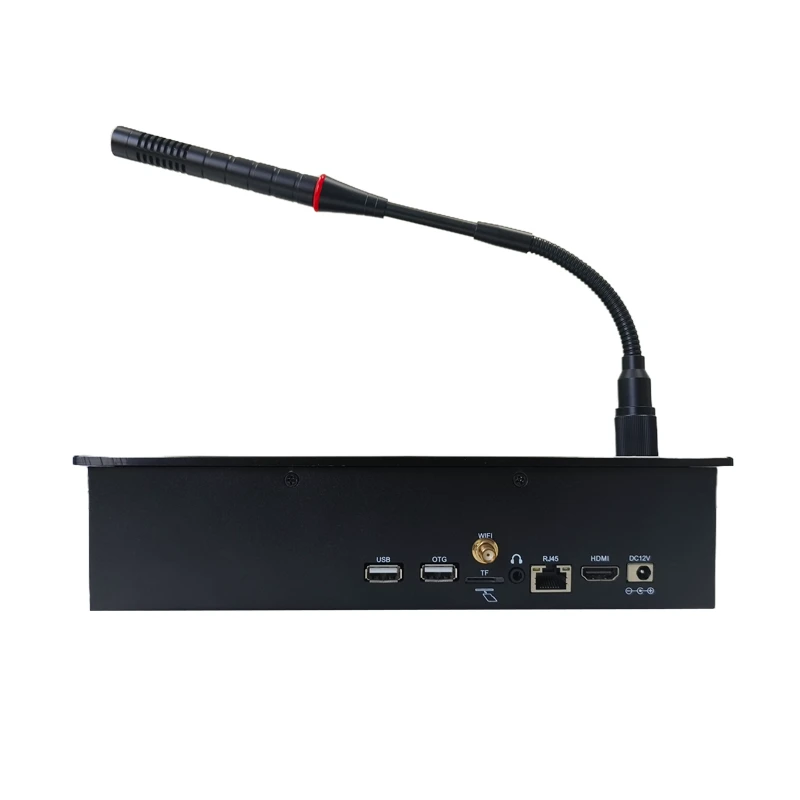
If your SIP door intercom system is integrated with a paging station, you can assign permissions for users to make announcements or communicate with other devices on the system.
Steps to Manage User Access Permissions
1. Define User Roles
The first step in managing access permissions is to define the different user roles within your organization or property. Common user roles include residents, employees, visitors, security guards, and maintenance staff. Each role will have different access requirements, so it's important to clearly define what each role can and cannot do.
For example, residents may have full access to enter and exit their own building, while visitors may only have temporary access during specific times. Employees may need access to certain areas of a business, and security guards may require additional permissions such as video monitoring and remote unlocking.
2. Use a Centralized Management System
To streamline the process of managing access permissions, it's recommended to use a centralized management system. This system allows you to create, edit, and delete user accounts and assign permissions from a single location. Many modern SIP door intercom systems come with built-in management software that provides these features.
With a centralized system, you can easily add or remove users as needed, change permissions based on role changes or security requirements, and generate reports on user activity.
3. Set Up User Accounts
Once you have defined the user roles, you can start creating user accounts for each individual. When creating an account, you should collect relevant information such as the user's name, contact details, and role. This information will help you keep track of who has access to the system and what their permissions are.
You can also use unique identifiers such as access cards, PIN codes, or biometric data to authenticate users. These methods provide an extra layer of security and make it easier to manage access.
4. Assign Permissions Based on Roles
After creating the user accounts, you need to assign permissions to each user based on their role. This can be done through the centralized management system. You can select the appropriate permissions for each role and then apply them to all users within that role.
For example, if you have defined a "Resident" role, you can assign permissions such as full entry and exit access, video monitoring of their own unit's entrance, and the ability to receive calls from the intercom. For a "Visitor" role, you may only grant temporary entry access during a specific time period.
5. Implement Time-Based Permissions
In addition to role-based permissions, you can also implement time-based permissions. This allows you to restrict access to certain areas or functions during specific times of the day or week. For example, you can set it so that employees can only access the building during normal business hours, or that visitors can only enter during a pre-approved time slot.
Time-based permissions can be configured through the management system and are a great way to enhance security and control access more effectively.
6. Regularly Review and Update Permissions
Access requirements can change over time, so it's important to regularly review and update user access permissions. This may involve adding or removing users, changing roles, or adjusting permissions based on security incidents or policy changes.
For example, if an employee leaves the company, their access permissions should be immediately revoked. If a new security policy is implemented, you may need to adjust the permissions for all users to ensure compliance.
Challenges in Managing User Access Permissions
While managing user access permissions on a SIP door intercom system is essential, it also comes with some challenges:
1. Security Risks
If access permissions are not managed properly, it can lead to security risks such as unauthorized access to the premises, theft, or vandalism. It's important to ensure that only authorized individuals have access to sensitive functions and areas.
2. User Training
Proper user training is crucial to ensure that users understand how to use the intercom system and comply with the access permissions. Lack of training can result in users accidentally or intentionally bypassing security measures.

3. System Complexity
As the number of users and permissions increases, the system can become more complex to manage. It's important to have a clear understanding of the system's capabilities and limitations to ensure effective management.
Best Practices for Overcoming Challenges
1. Implement Strong Authentication Methods
To reduce security risks, implement strong authentication methods such as multi-factor authentication. This can include a combination of something the user has (e.g., an access card), something the user knows (e.g., a PIN code), and something the user is (e.g., biometric data).
2. Provide Comprehensive User Training
Offer comprehensive training to all users on how to use the SIP door intercom system and understand their access permissions. This can be done through in-person training sessions, online tutorials, or user manuals.
3. Simplify the Management Process
Use a user-friendly and intuitive management system to simplify the process of managing access permissions. This can help reduce the complexity of the system and make it easier to manage as the number of users grows.
Conclusion
Managing user access permissions on a SIP door intercom system is a critical aspect of ensuring the security and functionality of the system. By understanding the different types of permissions, following the steps outlined above, and addressing the challenges with best practices, you can effectively manage access and provide a secure environment for your users.
If you're interested in learning more about our Video Intercom System For Business or Intercom Speaker Microphone and how they can be integrated with our SIP door intercom system for enhanced access control, feel free to reach out to us for further discussion and procurement opportunities.
References
- Smith, J. (2020). "Best Practices for Access Control in SIP Door Intercom Systems." Journal of Security Technology.
- Johnson, A. (2019). "Managing User Permissions in IP-Based Communication Systems." International Journal of Network Security.