

Hey there! As a supplier of Column PA Speakers, I often get asked about how to replace the drivers of these speakers. It's an important skill to have, whether you're a professional audio technician or just a DIY enthusiast looking to save some money on repairs. In this blog post, I'll walk you through the process step by step, so you can confidently tackle this task on your own.
Why Replace the Drivers?
Before we dive into the replacement process, let's quickly talk about why you might need to replace the drivers of your Column PA Speaker in the first place. Over time, drivers can wear out due to regular use, exposure to the elements (if it's an Outdoor Column Speaker), or even physical damage. When a driver starts to fail, you might notice a decrease in sound quality, such as distortion, low volume, or a lack of bass. In some cases, the driver might stop working altogether. Replacing the drivers can restore your speaker's performance and extend its lifespan.
Tools and Materials You'll Need
To replace the drivers of a Column PA Speaker, you'll need a few tools and materials. Here's a list to get you started:
- Screwdriver set: You'll need different sizes of screwdrivers to remove the speaker grille and the driver mounting screws.
- Soldering iron and solder: If the drivers are connected to the speaker's wiring with solder joints, you'll need these to disconnect and reconnect them.
- Wire cutters and strippers: These will come in handy for cutting and stripping the wires.
- New drivers: Make sure you get the right drivers for your specific Column PA Speaker model. You can usually find this information in the speaker's user manual or by contacting the manufacturer.
- Silicone sealant: This will help seal the new drivers in place and prevent moisture from getting inside the speaker.
- Safety glasses and gloves: It's always a good idea to protect your eyes and hands when working with tools and electronics.
Step-by-Step Guide to Replacing the Drivers
Now that you have all the necessary tools and materials, let's get started with the replacement process. Here are the steps you'll need to follow:
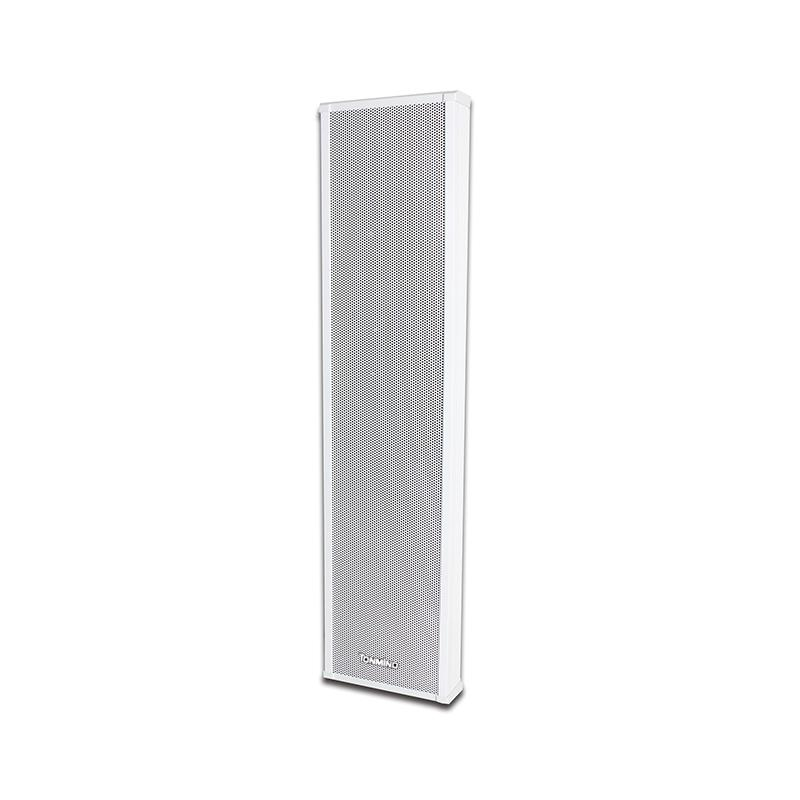

Step 1: Unplug the Speaker
Before you start working on the speaker, make sure it's unplugged from the power source. This will prevent any electrical shocks or damage to the speaker.
Step 2: Remove the Speaker Grille
Most Column PA Speakers have a removable grille that covers the drivers. Use a screwdriver to remove the screws holding the grille in place. Once the screws are removed, gently lift the grille off the speaker.
Step 3: Locate the Drivers
With the grille removed, you should be able to see the drivers. They're usually circular or oval-shaped and are mounted inside the speaker cabinet. Take a note of how the drivers are connected to the speaker's wiring. Some drivers might be connected with solder joints, while others might have plug-and-play connectors.
Step 4: Disconnect the Old Drivers
If the drivers are connected with solder joints, use a soldering iron to heat the joints and melt the solder. Once the solder has melted, carefully pull the wires away from the drivers. If the drivers have plug-and-play connectors, simply unplug them from the wiring.
Step 5: Remove the Old Drivers
Use a screwdriver to remove the screws holding the old drivers in place. Once the screws are removed, gently lift the old drivers out of the speaker cabinet.
Step 6: Prepare the New Drivers
Before installing the new drivers, make sure they're the right size and type for your speaker. Check the wiring connections on the new drivers and make sure they match the connections on the old drivers. If necessary, use wire cutters and strippers to prepare the wires for connection.
Step 7: Install the New Drivers
Place the new drivers in the speaker cabinet and align them with the mounting holes. Use a screwdriver to insert the screws and tighten them securely. Make sure the drivers are seated properly and there are no gaps between the drivers and the speaker cabinet.
Step 8: Connect the New Drivers
If the new drivers have plug-and-play connectors, simply plug them into the wiring. If the drivers are connected with solder joints, use a soldering iron to heat the joints and melt the solder. Once the solder has melted, carefully connect the wires to the new drivers. Make sure the connections are secure and there are no loose wires.
Step 9: Seal the New Drivers
Apply a small amount of silicone sealant around the edges of the new drivers to seal them in place. This will help prevent moisture from getting inside the speaker and damaging the drivers.
Step 10: Replace the Speaker Grille
Once the new drivers are installed and sealed, place the speaker grille back on the speaker and align it with the mounting holes. Use a screwdriver to insert the screws and tighten them securely.
Step 11: Test the Speaker
Plug the speaker back into the power source and test it to make sure the new drivers are working properly. Play some music or audio through the speaker and listen for any distortion or other issues. If everything sounds good, you're done!
Tips and Tricks
- Take your time: Replacing the drivers of a Column PA Speaker can be a time-consuming process, especially if you're not familiar with electronics. Take your time and follow the steps carefully to avoid making any mistakes.
- Keep track of the screws: As you remove the screws from the speaker grille and the drivers, make sure you keep them organized. You can use a small container or a magnetic tray to keep the screws from getting lost.
- Use the right tools: Using the right tools for the job will make the replacement process easier and safer. Make sure you have all the necessary tools before you start working on the speaker.
- Follow the manufacturer's instructions: If you're not sure how to replace the drivers of your specific Column PA Speaker model, refer to the speaker's user manual or contact the manufacturer for instructions.
Conclusion
Replacing the drivers of a Column PA Speaker is a relatively straightforward process that you can do yourself with the right tools and materials. By following the steps outlined in this blog post, you can restore your speaker's performance and extend its lifespan. If you have any questions or need further assistance, feel free to contact us. We're a leading supplier of ONVIF Column Speaker, Outdoor Column Speaker, and SIP Column Speaker, and we're always happy to help our customers. Whether you're looking to replace the drivers of your existing speakers or purchase new ones, we can provide you with high-quality products and professional advice. So, don't hesitate to reach out to us for all your Column PA Speaker needs!
References
- Speaker repair guides from various manufacturers
- Online forums and communities for audio enthusiasts