

Troubleshooting a Column PA Speaker with no sound can be a daunting task, but with a systematic approach, you can identify and resolve the issue efficiently. As a Column PA Speaker supplier, I've encountered various scenarios where customers face the problem of silent speakers. In this blog post, I'll share some common causes and step-by-step solutions to help you get your speaker working again.
1. Check the Power Supply
The first thing you should do when your Column PA Speaker is not producing any sound is to verify the power supply. A lack of power can obviously prevent the speaker from functioning.
- Inspect the Power Cord: Examine the power cord for any visible damage, such as cuts or frayed wires. If you find any issues, replace the power cord immediately.
- Check the Power Outlet: Make sure the power outlet is working by plugging in another device. If the outlet is not functioning, try using a different one.
- Power Switch: Ensure that the power switch on the speaker is turned on. Sometimes, the switch can be accidentally turned off during transportation or cleaning.
2. Examine the Audio Source
The audio source is another potential culprit if your Column PA Speaker is silent.

- Check the Connection: Confirm that the audio cable is properly connected to both the audio source (e.g., a mixer, amplifier, or media player) and the speaker. Loose connections can result in no sound.
- Audio Source Settings: Review the settings on the audio source. Ensure that the volume is turned up, and the correct output channel is selected. For example, if you're using a computer as the audio source, check the volume settings in the operating system and the application you're using.
- Audio Source Functionality: Test the audio source by connecting it to another speaker or device. If the audio source is not working, you may need to troubleshoot or replace it.
3. Inspect the Volume Controls
Volume controls play a crucial role in determining whether your Column PA Speaker produces sound.
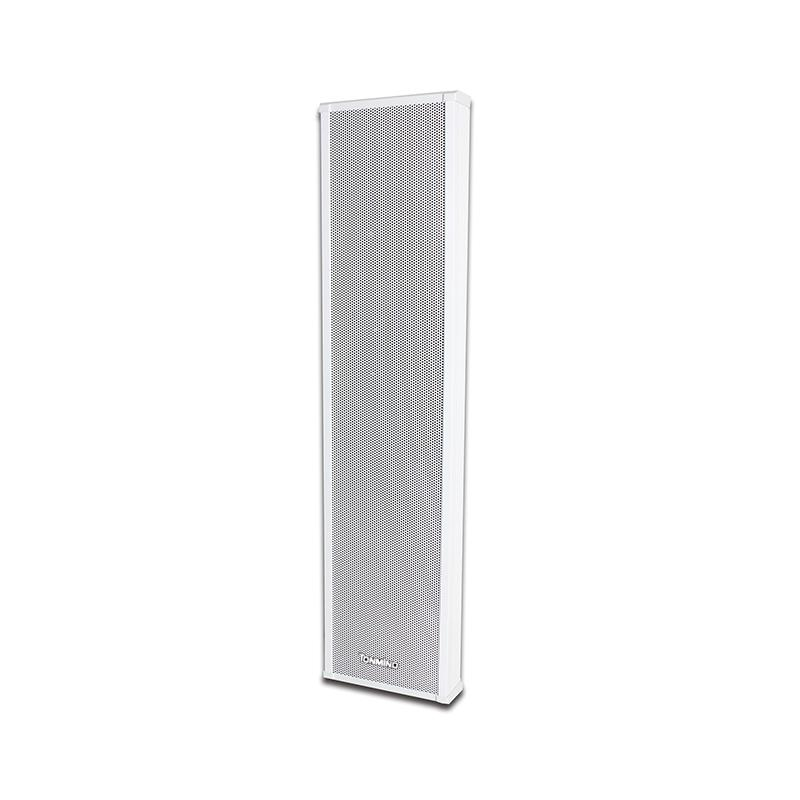
- Speaker Volume Control: Check the volume control on the speaker itself. Make sure it is not set to the minimum or muted. Adjust the volume gradually to see if you can hear any sound.
- External Volume Controls: If you're using an external amplifier or mixer, check the volume controls on these devices as well. Ensure that they are set to an appropriate level.
4. Look for Signal Issues
Signal problems can also cause a Column PA Speaker to go silent.
- Audio Cable Quality: Low-quality or damaged audio cables can result in signal loss or interference. Consider replacing the audio cable with a high-quality one to see if it resolves the issue.
- Signal Interference: Check for any sources of signal interference, such as nearby electronic devices or power cables. Move the speaker and audio cables away from these potential sources of interference.
- Signal Amplification: If you're using a long audio cable or multiple speakers, you may need to use a signal amplifier to boost the audio signal. Make sure the signal amplifier is working properly and set to the correct level.
5. Check the Speaker Components
The internal components of the Column PA Speaker can sometimes malfunction, leading to a loss of sound.

- Speaker Drivers: Inspect the speaker drivers for any visible damage, such as tears or punctures. If you find any issues, you may need to replace the speaker drivers.
- Crossover Network: The crossover network is responsible for dividing the audio signal into different frequency ranges and sending them to the appropriate speaker drivers. Check the crossover network for any signs of damage or loose connections.
- Amplifier: If your Column PA Speaker has an internal amplifier, check the amplifier for any issues. Look for signs of overheating, burnt components, or abnormal noises. If you suspect a problem with the amplifier, it may need to be repaired or replaced.
6. Consider Environmental Factors
Environmental factors can also affect the performance of your Column PA Speaker.
- Temperature and Humidity: Extreme temperatures and high humidity can damage the speaker components. Make sure the speaker is installed in a suitable environment with stable temperature and humidity levels.
- Dust and Debris: Dust and debris can accumulate inside the speaker, causing blockages and affecting the sound quality. Regularly clean the speaker to prevent this from happening.
- Physical Damage: Check the speaker for any physical damage, such as cracks or dents. Physical damage can affect the performance of the speaker and may require repair or replacement.
7. Test with Different Audio Sources
If you've tried all the above steps and still can't get the speaker to produce sound, try testing it with different audio sources. This can help you determine whether the problem is with the speaker or the audio source.

- Use a Different Device: Connect the speaker to a different audio device, such as a smartphone, tablet, or another media player. If the speaker works with the new audio source, the problem may be with the original audio source.
- Try Different Audio Files: Play different audio files on the audio source to see if the problem is specific to a particular file. Some audio files may be corrupted or have incompatible formats.
Conclusion
Troubleshooting a Column PA Speaker with no sound requires a systematic approach. By following the steps outlined in this blog post, you can identify and resolve the issue efficiently. Remember to check the power supply, audio source, volume controls, signal issues, speaker components, environmental factors, and test with different audio sources. If you're still unable to resolve the problem, don't hesitate to contact us for further assistance.
As a Column PA Speaker supplier, we offer a wide range of high-quality products, including Outdoor Column Speaker, ONVIF Column Speaker, and SIP Column Speaker. If you're interested in purchasing our products or have any questions, please feel free to contact us for procurement discussions. We're committed to providing you with the best solutions and excellent customer service.
References
- Professional Audio Equipment Handbook, by Gary Davis
- Sound System Engineering, by Don and Carolyn Davis