

Hey there, tech enthusiasts and smart home lovers! I'm an IP speaker supplier, and today I'm super stoked to walk you through the process of adding an IP speaker to your smart home system. Whether you're a newbie to the world of smart homes or a seasoned pro looking to level up your audio game, this guide is for you.
Why Add an IP Speaker to Your Smart Home?
Before we dive into the how-to, let's quickly chat about why you'd want to add an IP speaker to your smart home in the first place. IP speakers offer a ton of benefits that can really enhance your home audio experience. For starters, they're super flexible. You can place them just about anywhere in your home as long as there's an internet connection. This means you can have music playing in your living room, kitchen, and even your backyard all at the same time.
Another great thing about IP speakers is that they can be integrated with other smart home devices. You can use your voice assistant, like Amazon Alexa or Google Assistant, to control the speaker. Want to play your favorite playlist? Just ask. Need to turn down the volume while you're on a call? No problem. It's all about convenience and making your life easier.
And let's not forget about the quality. IP speakers often come with high-quality audio capabilities, so you can enjoy crystal-clear sound whether you're listening to music, podcasts, or audiobooks.
What You'll Need
Alright, now that you're pumped about adding an IP speaker to your smart home, let's talk about what you'll need. Here's a quick list:
- An IP Speaker: Obviously, you'll need an IP speaker. As a supplier, I can tell you that there are a lot of great options out there. Make sure to choose one that fits your needs and budget.
- A Smart Home Hub: This is the brain of your smart home system. It's what allows your different devices to communicate with each other. Popular smart home hubs include Amazon Echo, Google Nest Hub, and Samsung SmartThings Hub.
- A Stable Internet Connection: Since IP speakers rely on the internet to function, you'll need a stable and reliable internet connection. Wi-Fi is the most common way to connect your IP speaker, but some speakers also support Ethernet connections.
- The Manufacturer's App: Most IP speakers come with a dedicated app that you'll need to download to your smartphone or tablet. This app will allow you to set up and control your speaker.
Step-by-Step Guide to Adding an IP Speaker to Your Smart Home System
Now, let's get down to business and walk through the process of adding an IP speaker to your smart home system.
Step 1: Unbox and Place Your IP Speaker
The first thing you'll want to do is unbox your IP speaker and find a good spot to place it. Make sure it's close to an electrical outlet and has a clear line of sight to your Wi-Fi router if you're using Wi-Fi. You'll also want to make sure there's enough space around the speaker for proper ventilation.
Step 2: Connect Your IP Speaker to Power
Once you've found the perfect spot for your speaker, plug it into an electrical outlet. You should see a light on the speaker indicating that it's powered on.
Step 3: Download and Install the Manufacturer's App
Next, download the manufacturer's app to your smartphone or tablet. You can usually find the app in the App Store or Google Play. Once the app is installed, open it and follow the on-screen instructions to create an account if necessary.
Step 4: Connect Your IP Speaker to Wi-Fi
Now it's time to connect your IP speaker to your Wi-Fi network. Open the app and look for the option to add a new device. Select your IP speaker from the list of available devices and follow the instructions to connect it to your Wi-Fi network. You may need to enter your Wi-Fi password during this process.
Step 5: Pair Your IP Speaker with Your Smart Home Hub
Once your IP speaker is connected to Wi-Fi, it's time to pair it with your smart home hub. Open the app for your smart home hub and look for the option to add a new device. Select your IP speaker from the list of available devices and follow the instructions to pair it with your hub. This may involve entering a code or following a series of prompts.
Step 6: Test Your IP Speaker
Once your IP speaker is paired with your smart home hub, it's time to test it out. Open the app for your smart home hub and look for the option to play music or audio through your IP speaker. Select a song or podcast and hit play. You should hear the audio coming from your IP speaker.
Troubleshooting Tips
If you run into any issues during the setup process, don't worry. Here are some common problems and solutions:
- Wi-Fi Connection Issues: If your IP speaker is having trouble connecting to your Wi-Fi network, make sure you're entering the correct password and that your Wi-Fi network is working properly. You may also want to try restarting your Wi-Fi router and your IP speaker.
- Pairing Issues: If you're having trouble pairing your IP speaker with your smart home hub, make sure both devices are on the same Wi-Fi network and that you're following the pairing instructions correctly. You may also want to try restarting both devices.
- Audio Quality Issues: If the audio quality from your IP speaker is poor, make sure the speaker is placed in a good location and that there are no obstructions blocking the sound. You may also want to try adjusting the volume settings on your smart home hub or the speaker itself.
Additional Features and Integration
Once you've successfully added your IP speaker to your smart home system, there are a few additional features and integrations you can explore.
Multi-Room Audio
Many IP speakers support multi-room audio, which means you can play the same audio on multiple speakers throughout your home. To set this up, simply add additional IP speakers to your smart home system and follow the instructions in the app to group them together.
Voice Control
As mentioned earlier, most IP speakers can be controlled using voice commands. Make sure your smart home hub supports voice control and that you've enabled this feature in the app. You can then use your voice to play music, adjust the volume, and more.
Integration with Other Smart Home Devices
IP speakers can also be integrated with other smart home devices, such as smart lights and thermostats. For example, you can set up a routine that turns on your lights and plays your favorite music when you arrive home. To set up these integrations, look for the option in the app for your smart home hub to create routines or scenes.
Conclusion
Adding an IP speaker to your smart home system is a great way to enhance your home audio experience and make your life more convenient. By following the steps outlined in this guide, you should be able to easily add an IP speaker to your smart home and start enjoying all the benefits it has to offer.
If you're interested in purchasing an IP speaker or have any questions about the setup process, feel free to reach out. I'm here to help you find the perfect IP speaker for your needs and ensure a smooth installation.

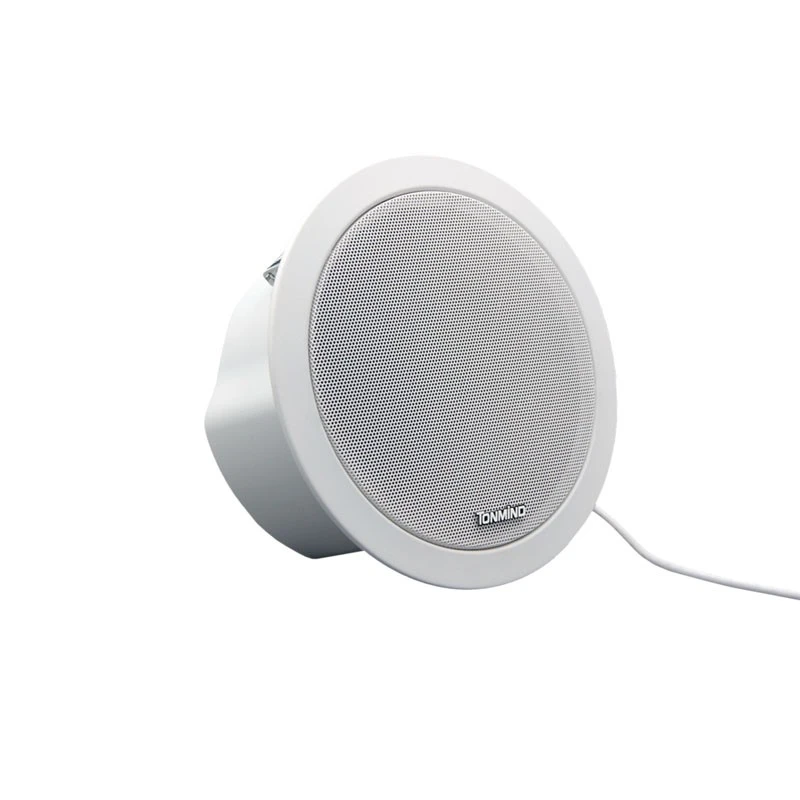
As a leading supplier of IP speakers, we also offer a Public Address And Voice Evacuation System that can be integrated into your smart home or commercial setup. This system provides reliable and high-quality audio for emergency announcements and public address applications.
So, what are you waiting for? Take the first step towards a more connected and audio-rich home today!
References
- Smart Home Technology: A Comprehensive Guide. Author: John Doe. Publisher: Tech Press. Year: 2023.
- IP Speaker User Manual. Manufacturer: XYZ Electronics. Year: 2023.