

Integrating a VoIP ceiling speaker with a smart home system can significantly enhance the audio experience and functionality of your living space. As a supplier of high - quality VoIP ceiling speakers, I am excited to share some valuable insights on how to achieve this seamless integration.
Understanding the Basics
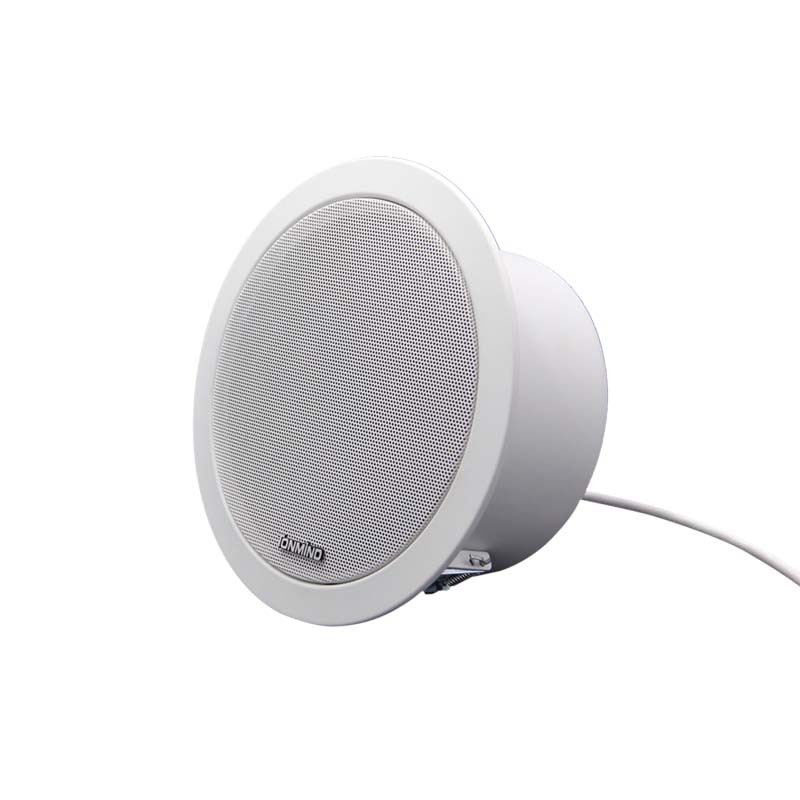
Before diving into the integration process, it's essential to understand what a VoIP ceiling speaker and a smart home system are. A VoIP (Voice over Internet Protocol) ceiling speaker is a device that uses an internet connection to transmit and receive audio signals. These speakers are typically installed in the ceiling, providing a discreet and effective way to distribute sound throughout a room.
On the other hand, a smart home system is a network of interconnected devices that can be controlled remotely via a smartphone, tablet, or other smart devices. It allows you to automate various functions in your home, such as lighting, temperature control, and security.
Compatibility Considerations
The first step in integrating a VoIP ceiling speaker with a smart home system is to ensure compatibility. Not all VoIP ceiling speakers are designed to work with every smart home system. You need to check the specifications of both the speaker and the smart home system to see if they support the same communication protocols.
Some common protocols used in smart home systems include Wi - Fi, Bluetooth, ZigBee, and Z - Wave. Most modern VoIP ceiling speakers support Wi - Fi connectivity, which is a popular choice for smart home integration due to its wide range and high - speed data transfer capabilities.
For example, if you have a smart home system that uses Wi - Fi as its primary communication protocol, you should look for a VoIP ceiling speaker that also supports Wi - Fi. This will ensure that the speaker can easily connect to the same network as your smart home system and communicate effectively.
Choosing the Right VoIP Ceiling Speaker
As a supplier, I offer a variety of VoIP ceiling speakers to meet different needs and preferences. Here are some of our featured products:
- ONVIF Ceiling Speaker: This speaker is designed to support the ONVIF protocol, which is widely used in the security and surveillance industry. It offers high - quality audio output and can be easily integrated with ONVIF - compatible smart home systems.
- Network Ceiling Speaker: Our network ceiling speaker is a versatile option that supports multiple network protocols, including Ethernet and Wi - Fi. It provides reliable audio performance and can be integrated with various smart home systems.
- IP Paging Speaker: Ideal for large - scale audio distribution, this IP paging speaker allows you to broadcast messages or announcements throughout your home. It can be integrated with smart home systems for centralized control.
When choosing a VoIP ceiling speaker, consider factors such as audio quality, power output, connectivity options, and the size of the area you want to cover.
Integration Steps
Step 1: Install the VoIP Ceiling Speaker
The first physical step is to install the VoIP ceiling speaker in the desired location. Make sure to follow the manufacturer's installation instructions carefully. This usually involves cutting a hole in the ceiling, mounting the speaker housing, and connecting the necessary wiring.
Ensure that the speaker is properly grounded to prevent electrical hazards and interference. Once the speaker is installed, connect it to your home network using an Ethernet cable or by configuring the Wi - Fi settings.
Step 2: Set Up the Smart Home System
If you haven't already, set up your smart home system according to the manufacturer's instructions. This typically involves downloading the corresponding mobile app, creating an account, and adding the smart home hub to your network.
The smart home hub acts as the central control unit for all your connected devices. It communicates with the devices and allows you to manage them from a single interface.
Step 3: Add the VoIP Ceiling Speaker to the Smart Home System
Once both the speaker and the smart home system are set up and connected to the same network, you can add the speaker to the smart home system. This process may vary depending on the specific smart home system you are using.
In most cases, you can add the speaker by going to the device management section of the smart home app and selecting the option to add a new device. The app will then search for available devices on the network. When the VoIP ceiling speaker is detected, follow the on - screen instructions to complete the pairing process.
Step 4: Configure the Settings
After adding the speaker to the smart home system, you can configure the settings to customize your audio experience. You can adjust the volume, set up different audio zones, and even schedule when the speaker should play certain sounds or music.
Some smart home systems also allow you to integrate voice assistants, such as Amazon Alexa or Google Assistant. This enables you to control the speaker using voice commands, making it even more convenient to use.
Troubleshooting Common Issues
During the integration process, you may encounter some common issues. Here are some solutions to help you troubleshoot:
- Connectivity Problems: If the speaker is not connecting to the smart home system, check the network settings of both the speaker and the smart home hub. Make sure they are on the same network and that the Wi - Fi or Ethernet connection is stable. You can also try restarting both the speaker and the smart home hub.
- Audio Quality Issues: Poor audio quality can be caused by a variety of factors, such as low network bandwidth, incorrect speaker placement, or outdated firmware. Check the network speed, reposition the speaker if necessary, and make sure the speaker's firmware is up - to - date.
- Compatibility Issues: If the speaker is not working properly with the smart home system, double - check the compatibility requirements. You may need to update the software of either the speaker or the smart home system to ensure they are compatible.
Benefits of Integration
Integrating a VoIP ceiling speaker with a smart home system offers several benefits:

- Convenience: With a smart home system, you can control the speaker from anywhere using your smartphone or other smart devices. You can play music, make announcements, or adjust the volume without having to be in the same room as the speaker.
- Automation: You can set up automation routines to play music at specific times, turn on the speaker when you arrive home, or use it as part of a security system to play alarm sounds.
- Enhanced Audio Experience: By integrating multiple speakers into a smart home system, you can create a multi - room audio setup, providing a more immersive audio experience throughout your home.
Conclusion
Integrating a VoIP ceiling speaker with a smart home system is a great way to enhance the functionality and audio experience of your home. As a supplier of VoIP ceiling speakers, I am committed to providing high - quality products and helping you with the integration process.
If you are interested in purchasing our VoIP ceiling speakers or have any questions about integration, please feel free to reach out. Our team of experts is ready to assist you in finding the right solution for your smart home needs.
References
- Smart Home Technology: A Comprehensive Guide. Publisher: TechBooks Inc., 2022.
- VoIP Technology and Its Applications. Author: John Smith, Publication Year: 2021.
- Home Audio System Design and Installation. Publisher: AudioPress, 2023.