

Voice control technology has revolutionized the way we interact with various devices, and intercom boards are no exception. As a leading supplier of intercom boards, we understand the importance of providing our customers with the latest and most efficient features. In this blog post, we will explore how to use voice control on an intercom board, highlighting its benefits and providing practical tips for optimal use.
Understanding Voice Control on Intercom Boards
Voice control on an intercom board allows users to operate the device using spoken commands. This technology relies on advanced speech recognition software that can accurately interpret human speech and translate it into actionable instructions. By integrating voice control into an intercom board, users can perform a variety of tasks hands - free, enhancing convenience and efficiency.
How Voice Control Works
The voice control system on an intercom board typically consists of a microphone, a speech recognition engine, and a control module. When a user speaks a command, the microphone captures the audio signal. The speech recognition engine then analyzes the audio, comparing it to a pre - defined set of words and phrases in its vocabulary. Once the command is recognized, the control module executes the corresponding action on the intercom board.
Benefits of Voice Control
- Convenience: One of the primary advantages of voice control is the ability to operate the intercom board without having to physically touch it. This is especially useful in situations where your hands are full or when you need to quickly access the intercom function.
- Accessibility: Voice control makes intercom boards more accessible for people with disabilities or limited mobility. They can easily use the intercom system without the need for complex manual operations.
- Efficiency: With voice control, users can perform tasks more quickly. For example, instead of navigating through a menu to make a call, you can simply say "Call [name]" and the intercom board will initiate the call.
Setting Up Voice Control on Your Intercom Board
Before you can start using voice control on your intercom board, you need to set it up properly. The following steps will guide you through the process:
Step 1: Check Compatibility
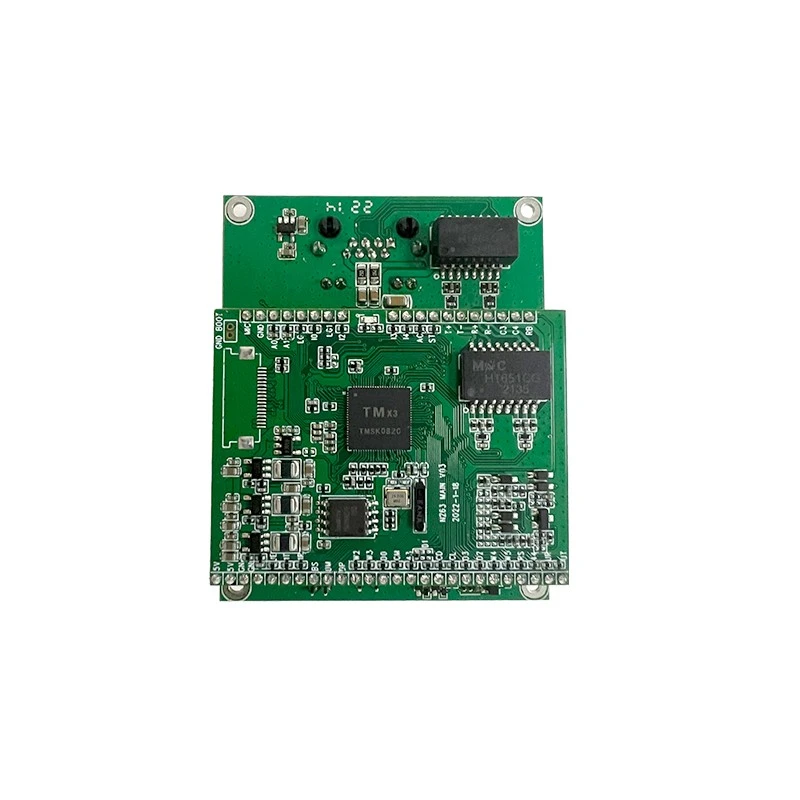
Ensure that your intercom board supports voice control. Most modern intercom boards come with this feature, but it's always a good idea to check the product specifications. If you're unsure, you can refer to the Intercom Circuit Board page on our website for detailed information about our products' capabilities.
Step 2: Update the Firmware
Make sure your intercom board has the latest firmware installed. Firmware updates often include improvements to the voice control functionality, such as better speech recognition accuracy. You can usually update the firmware through the intercom board's settings menu or by connecting it to a computer and using the provided software.
Step 3: Configure the Voice Control Settings
Once the firmware is up - to - date, you can configure the voice control settings. This may include setting up your voice profile, which helps the speech recognition engine better understand your unique voice patterns. You may also need to select the language you want to use for voice commands.
Step 4: Train the System
To improve the accuracy of voice recognition, it's recommended to train the voice control system. This usually involves speaking a set of predefined phrases into the microphone so that the system can learn your voice and pronunciation. Follow the on - screen instructions provided by the intercom board to complete the training process.
Using Voice Commands on an Intercom Board
After setting up voice control, you can start using voice commands to operate your intercom board. Here are some common voice commands and how to use them:
Making Calls
To make a call using voice control, simply say "Call [name]" or "Dial [phone number]". The intercom board will then initiate the call. If the person you're calling is in your contacts list, the system will recognize the name and connect the call automatically.
Answering Calls
When a call comes in, you can answer it by saying "Answer" or "Accept". This hands - free operation allows you to quickly respond to calls without having to reach for the intercom board.
Adjusting Settings
You can also use voice commands to adjust various settings on the intercom board. For example, you can say "Increase volume" or "Decrease volume" to adjust the audio volume. Other settings such as brightness, ringtone, and call forwarding can also be controlled using voice commands.
Accessing Menus
If you need to access different menus on the intercom board, you can use voice commands like "Open menu" or "Go to settings". This simplifies the process of navigating through the intercom's features.
Troubleshooting Voice Control Issues
While voice control on an intercom board is generally reliable, you may encounter some issues from time to time. Here are some common problems and their solutions:
Poor Speech Recognition
If the intercom board has difficulty recognizing your voice commands, there could be several reasons. First, make sure you're speaking clearly and at a normal volume. Background noise can also interfere with speech recognition, so try to reduce any noise in the environment. If the problem persists, you may need to retrain the voice control system or update the firmware.
Command Not Executed
Sometimes, the intercom board may recognize your voice command but fail to execute it. This could be due to a software glitch or a setting issue. Try restarting the intercom board and check the settings to ensure that the voice control feature is enabled.

Compatibility Issues
If you're using other devices or software in conjunction with the intercom board, there may be compatibility issues. Make sure all devices are using the latest software versions and that they are compatible with each other.
Advanced Voice Control Features
In addition to the basic voice commands, some intercom boards offer advanced voice control features.
Voice - Activated Security
Some intercom boards can be configured to use voice control for security purposes. For example, you can set up a voice - activated lock system where you can unlock a door by speaking a specific passphrase. This adds an extra layer of security to your premises.
Integration with Smart Home Systems
Many modern intercom boards can be integrated with smart home systems. You can use voice commands on the intercom board to control other smart devices in your home, such as lights, thermostats, and security cameras. This creates a more seamless and convenient living experience.
Conclusion
Voice control on an intercom board is a powerful feature that offers numerous benefits in terms of convenience, accessibility, and efficiency. By following the steps outlined in this blog post, you can easily set up and use voice control on your intercom board. Whether you're a homeowner looking for a more convenient way to manage your intercom system or a business owner seeking to enhance security and communication, voice control is a feature worth considering.
As a leading supplier of intercom boards, we offer a wide range of products with advanced voice control capabilities. Our Speaker Network Board and VoIP Board are designed to provide high - quality audio and seamless voice control functionality.
If you're interested in learning more about our intercom boards or have any questions about voice control, we encourage you to contact us for a purchase negotiation. Our team of experts is ready to assist you in finding the perfect intercom solution for your needs.
References
- Manufacturer's manuals for intercom boards
- Industry research on voice control technology in communication devices